Montabi Tools
Plan starters and full teams before you spend biscuits on the city map.
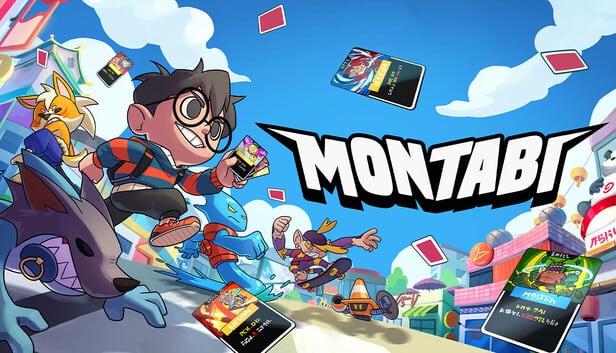
Montabi runs are short on paper and brutal in practice: you pick a Trainer, draft one of three starters, fight on a 3×3 grid, tame wild Montabi with biscuits, and lose everything if your Trainer falls. The wiki’s Tools hub exists so you can answer “who should I pick?—and “what trio fits my leader?—before you commit to a route—not after a failed boss wipes your biscuits.
Both tools on this page are fan-made planners built for the same facts the rest of the wiki uses: Student, Fighter, and Chef leaders; 22 starter lines with evolutions at levels 5 and 10; shops for Equipment, Charms, Supplies, and Stickards; and the Cafe stop that heals and thins decks between fights. They do not read your save file and they cannot predict every map roll, but they turn vague Reddit advice into a checklist you can compare against your unlocks.
What each tool does
The Starter picker walks you through a handful of honest prompts—how much you care about safety, status effects, movement, or scaling—and returns a shortlist of starter lines that match how you like to play. It is ideal right after you read Getting Started or when you unlock a new Trainer and want a fresh draft mindset without rerolling the same three Montabi for an hour.
The Team planner is the next step: pick a Trainer, assign roles to two active Montabi, and sketch how you want AP carryover, front-row pressure, and biscuit targets to line up on the grid. Use it alongside the Trainers hub for leader passives and the Tier list when you want a sanity check on whether your favorite line is comfort pick or hard mode.
When to use tools vs guides
Guides on this wiki explain why mechanics work—Trainer death rules, shop priorities, Cafe timing, and how Mankibo layers deckbuilding on creature collecting. Tools compress that knowledge into decisions. A good workflow for a new player on August 6, 2026 launch week looks like this: skim Updates for hotfix notes, read the beginner route on Guides, run the starter picker once, then open the team planner before your third serious run when biscuits and gold actually matter.
Veterans use the same tools differently. If you are speed-running rank for Fighter or Chef, the planner helps you draft around Resonance or Flavor without forgetting a bench Montabi that solves one elite fight. If you are collecting tames, pair the picker with Items so you know whether your planned comp wants Stickards from the sticker shop or charms from Gotcharm.
Limits and fair use
These planners are ** unofficial** and offline. They will not simulate exact enemy AI or every event node on the roguelike map. Patch balance can change card numbers overnight—always cross-check Updates and our Review page for how the launch build feels on Steam/PC, Xbox, and Nintendo Switch. If a tool suggestion disagrees with your gut, trust your run: Montabi is single-player, and experimentation is how the biscuit economy teaches you.
Related pages
- Starter picker tool —interactive shortlist for draft night
- Team planner tool —Trainer plus two Montabi roles on the grid
- Builds hub —archetype write-ups when you want full paragraphs, not slots
- Wiki resources —official Steam and developer links in one place
Pick a tool below and iterate. The grid rewards players who plan two turns ahead; these pages reward players who plan two runs ahead.
Frequently Asked Questions
Quick answers to the most common Montabi questions.
Do Montabi wiki tools connect to my Steam account?
No. Everything runs in your browser from static wiki data. You choose options manually; nothing is uploaded or synced to a game save.
Which tool should I use first?
Use the starter picker on your first few runs, then the team planner once you understand Trainer death rules and want to pair a leader with two Montabi roles.
Will tool results match every random starter draft?
Each run still offers three random starters from your unlocked roster. The picker suggests lines to hope for and prioritize when they appear—not a guarantee of all three.
Are these tools updated after patches?
Wiki editors refresh tool logic and guide text when major balance patches land. Check the Updates hub after each noted patch if a recommendation feels off.