Montabi Controls & Input Guide
Keyboard, mouse-only accessibility, full controller support, and grid targeting across every platform.
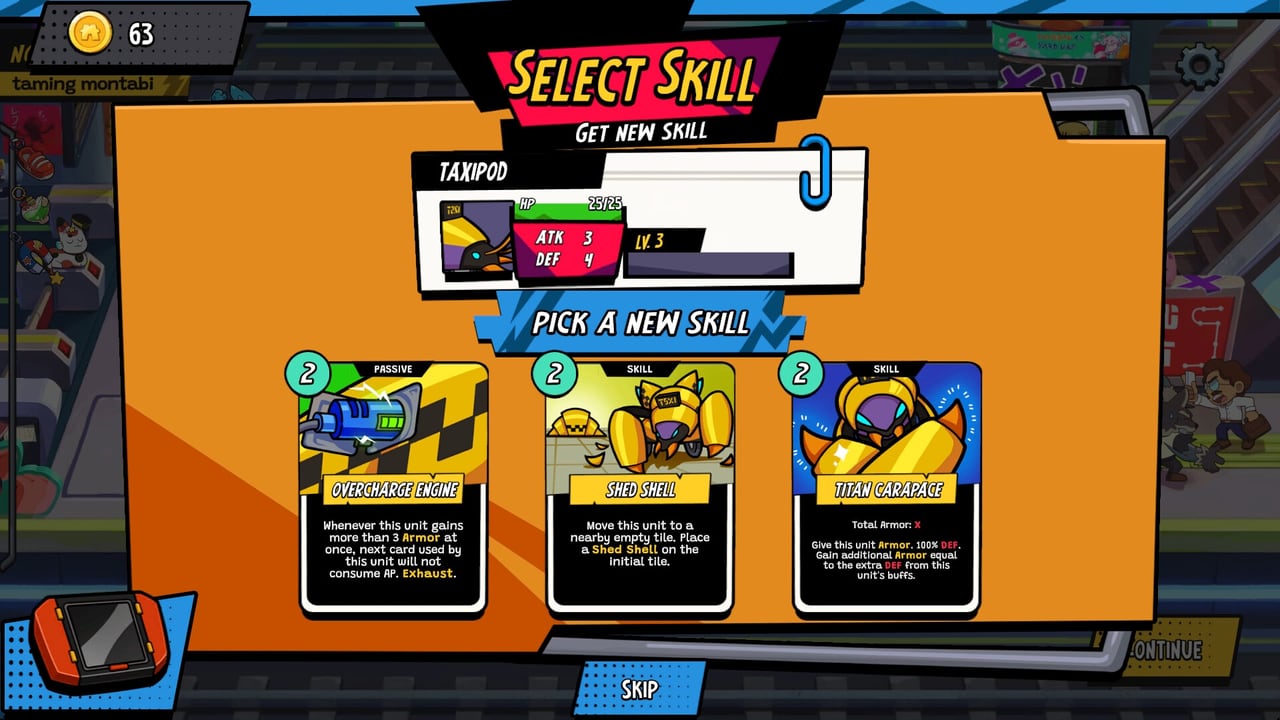
Montabi is a turn-based 3×3 grid tactics deckbuilder where every mis-click can cost Trainer HP—and Trainer death ends the run. Input clarity matters as much as card knowledge. Mankibo and Akupara Games shipped the August 6, 2026 release with full controller support on Steam, a dedicated mouse-only option for accessibility, and sensible defaults on Xbox and Nintendo Switch. This guide explains how to bind, remap, and aim actions so you spend mental energy on AP carryover and positioning instead of fighting the UI.
If you have never finished a route, read Getting Started first for combat vocabulary. Then pair this page with Combat & Positioning when you practice lane blocking and multi-unit turns.
Steam / PC: keyboard and mouse
On Steam for Windows and macOS, Montabi supports standard keyboard shortcuts for menu navigation, card selection, and grid cursor movement. Mouse users can click tiles, cards, and confirm buttons directly—ideal when you want pixel-precise targeting during crowded fights with two Montabi plus your Trainer on the field.
The Steam store lists Mouse Only Option as an official accessibility feature. Enable it in settings if trackpad-only play, motor accessibility, or a broken keyboard makes hotkeys unreliable. Mouse-only does not dumb down combat; it simply routes every action through clickable UI rather than requiring simultaneous key chords.
Remapping: Open the in-game controls menu (exact label may read Settings → Controls or Key Bindings depending on patch). Rebind confirm, cancel, end turn, and grid movement separately. Many players map end turn away from keys they fat-finger during card hovers. Steam Input can layer controller profiles on top if you swap devices mid-session.
Steam Client note: While minimum specs still list Windows 7 (64-bit), the Steam desktop client itself now expects Windows 10+ on many accounts. If the game launches but overlays fail, update the client before blaming Montabi—see System Requirements for hardware tables.
Controller on PC and Xbox
Steam advertises full controller support, meaning face buttons, bumpers, and sticks cover battle, menus, and map navigation without forced keyboard prompts mid-fight. On Xbox, the same layout applies out of the box—couch-friendly for long rank-grind sessions chasing Fighter and Chef unlocks.
Controller players should enable camera comfort options if vertical grid motion triggers discomfort; Steam tags Montabi with camera comfort and adjustable difficulty for a reason. Use the left stick (or D-pad, if toggled) to move the grid cursor one tile at a time; use face buttons to cycle units and confirm plays. When a card asks for a direction or tile, the UI highlights valid targets—slow down and read highlights before committing 3 AP plays you cannot undo.
Xbox buyers may benefit from Play Anywhere entitlements when purchasing through Microsoft’s ecosystem—verify your receipt if PC and console both show in the library. Cross-save is not assumed here; treat each device as its own account progress unless official notes say otherwise.
Nintendo Switch: handheld and docked
Nintendo Switch (and the announced Switch 2 listing on storefronts) uses the same rules as other versions but different ergonomics. Handheld mode favors button cursor movement; pro controller or docked play feels closer to Xbox. Joy-Con drift can ruin grid games—calibrate sticks or use a Pro Controller before blaming yourself for mis-targeted attacks.
Smart Delivery-style free upgrades apply on Xbox when publishers opt in; Switch family hardware varies by SKU. Performance is generally stable because Montabi is a 512 MB install with lightweight 3×3 scenes—not a AAA shader showcase. If frame drops appear in busy VFX, switch to docked mode or close background apps; details live on Platforms.
Grid targeting tips (all devices)
Montabi fights reward deliberate tile selection:
- Hover before confirm —Read row/column attack lines. Moving one Montabi forward can expose your Trainer even when the card text looks harmless.
- Unit cycling order —Decide which of your three actors spends AP first; carryover is per unit, not global.
- Zoom and UI scale —On PC, increase UI scale if card text is unreadable at 1080p; on Switch handheld, use system zoom sparingly because it shrinks the tactical view.
- Undo expectations —Roguelike battles rarely offer full turn undo. Treat confirm as final unless a tutorial explicitly allows rewind.
These habits overlap with Combat & Positioning—controls get your intent into the game; positioning makes that intent correct.
Platform comparison table
| Platform | Primary input | Notable options |
|---|---|---|
| Steam Windows | KBM or controller | Mouse-only mode, Steam Input, remapping |
| Steam macOS | KBM or controller | Metal graphics path; same control menu |
| Epic / GOG PC | KBM or controller | Match Steam layout; check launcher overlay keys |
| Xbox | Controller | Couch play; possible Play Anywhere |
| Switch | Joy-Con / Pro | Handheld vs docked; watch stick drift |
Demo and practice
A separate Steam demo app exists (distinct from the full game listing). Use it to test bindings before buying on Platforms. The June 2026 Next Fest slice taught Subway Station navigation and Stickards rooms—identical control schemes, shorter route.
Accessibility checklist
- Enable mouse-only if keyboard chords are painful.
- Turn on custom volume controls and adjustable difficulty if audio spikes or spike elites block progression.
- Use save anytime outside fights to pause when learning new Trainer kits—Student, Fighter, and Chef reuse the same grid but different card priorities.
Related pages
- Getting Started —first-run loop and AP basics
- Combat & Positioning —where to stand after you can aim
- Platforms —store links, demo, and price
- System Requirements —hardware before you remap keys at 30 FPS
Frequently Asked Questions
Quick answers to the most common Montabi questions.
Does Montabi support controllers on Steam?
Yes. Steam lists full controller support. Xbox and Switch versions are controller-first; PC players can use keyboard, mouse, or gamepad interchangeably.
What is the mouse-only option?
It is an accessibility setting that lets you play without required keyboard shortcuts—every action is clickable. Combat rules are unchanged.
Can I remap controls on console?
Xbox and Switch respect system-level button remapping. In-game rebinding is most detailed on Steam; check Settings after each patch.
Do controls differ between Trainers?
Bindings are the same; only card pools and passives change between Student, Fighter, and Chef. Grid targeting rules are identical.
Where should I test bindings before buying?
Download the Steam demo from the store page linked on Platforms. It uses the same battle UI as the full release.